> ## Documentation Index
> Fetch the complete documentation index at: https://docs.globalai.vip/llms.txt
> Use this file to discover all available pages before exploring further.
# WorkBuddy with Global AI: Custom Provider Configuration
> Connect WorkBuddy to Global AI via a custom provider. Enter the endpoint and key to chat with mainstream models for coding.
WorkBuddy is a standalone AI coding assistant that supports custom providers to connect third-party model APIs. This page shows how to configure Global AI in WorkBuddy for day-to-day coding chat. Download: [codebuddy.cn](https://www.codebuddy.cn/).
## Configuration
Download and install WorkBuddy from [codebuddy.cn](https://www.codebuddy.cn/), then sign in to reach the main screen.
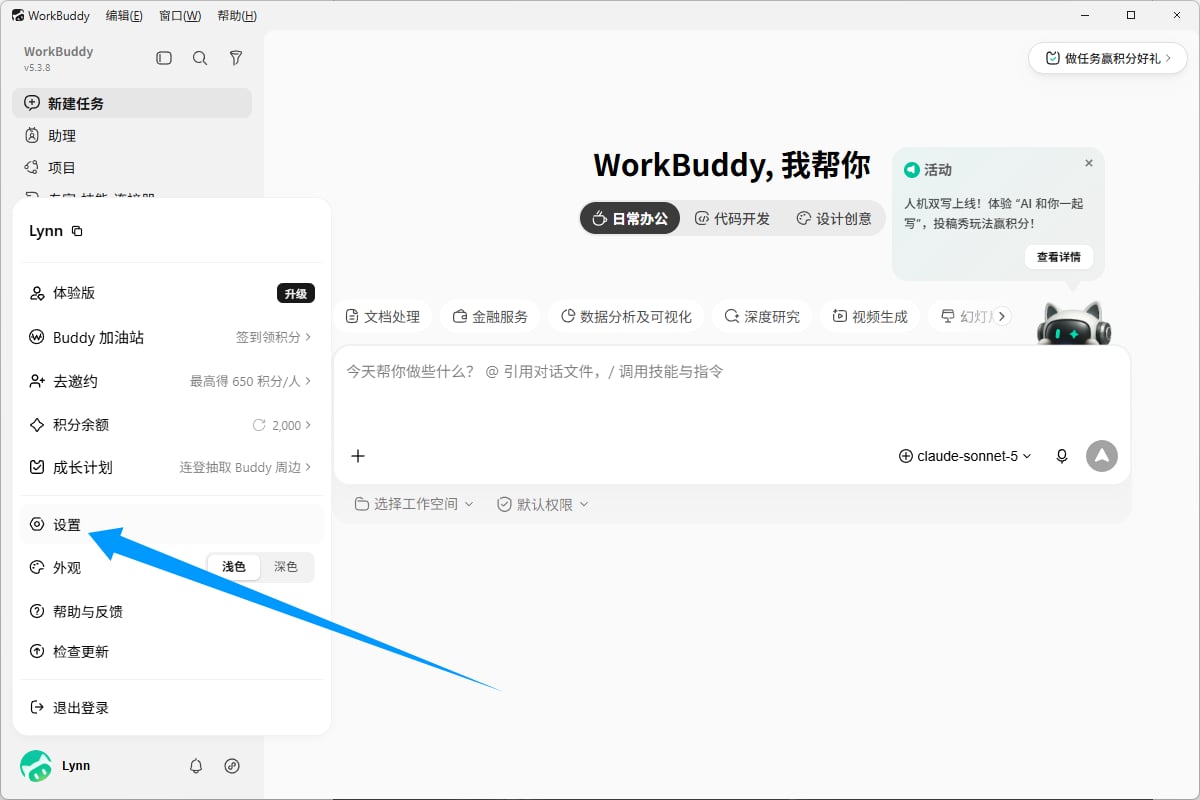
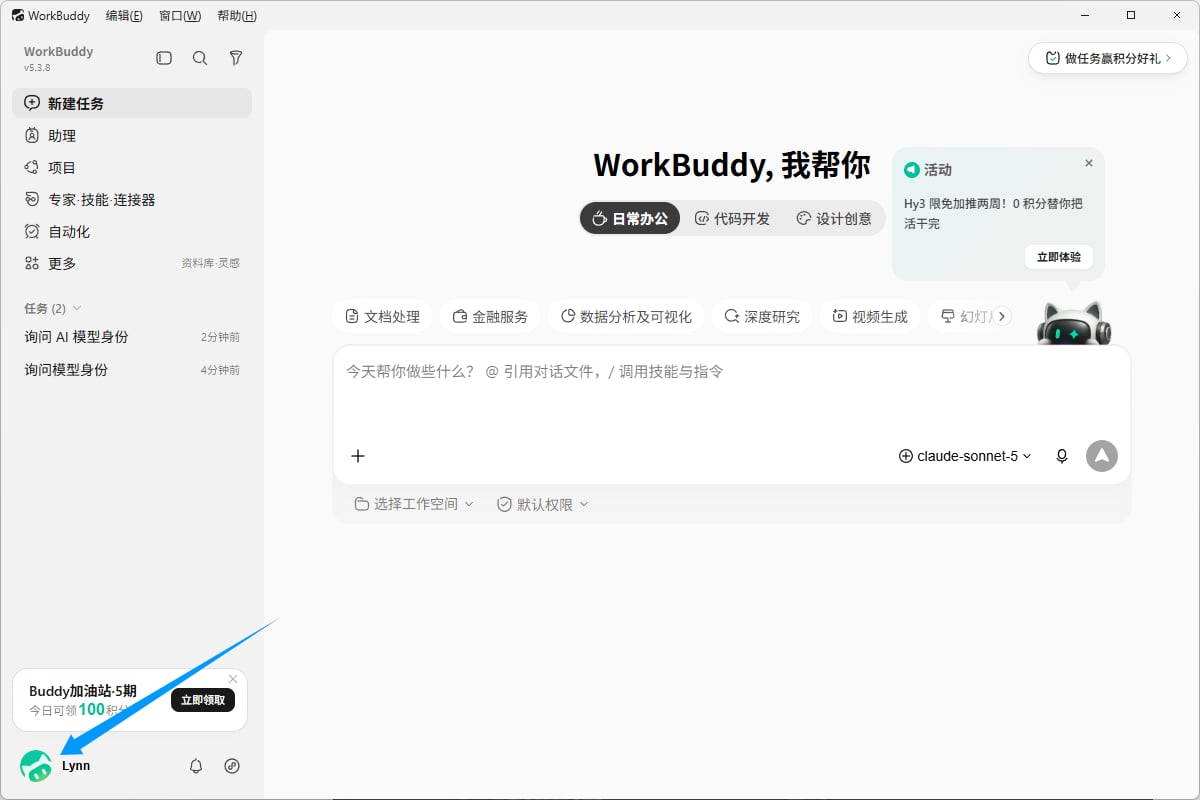 Click your avatar in the lower left and choose **Settings**.
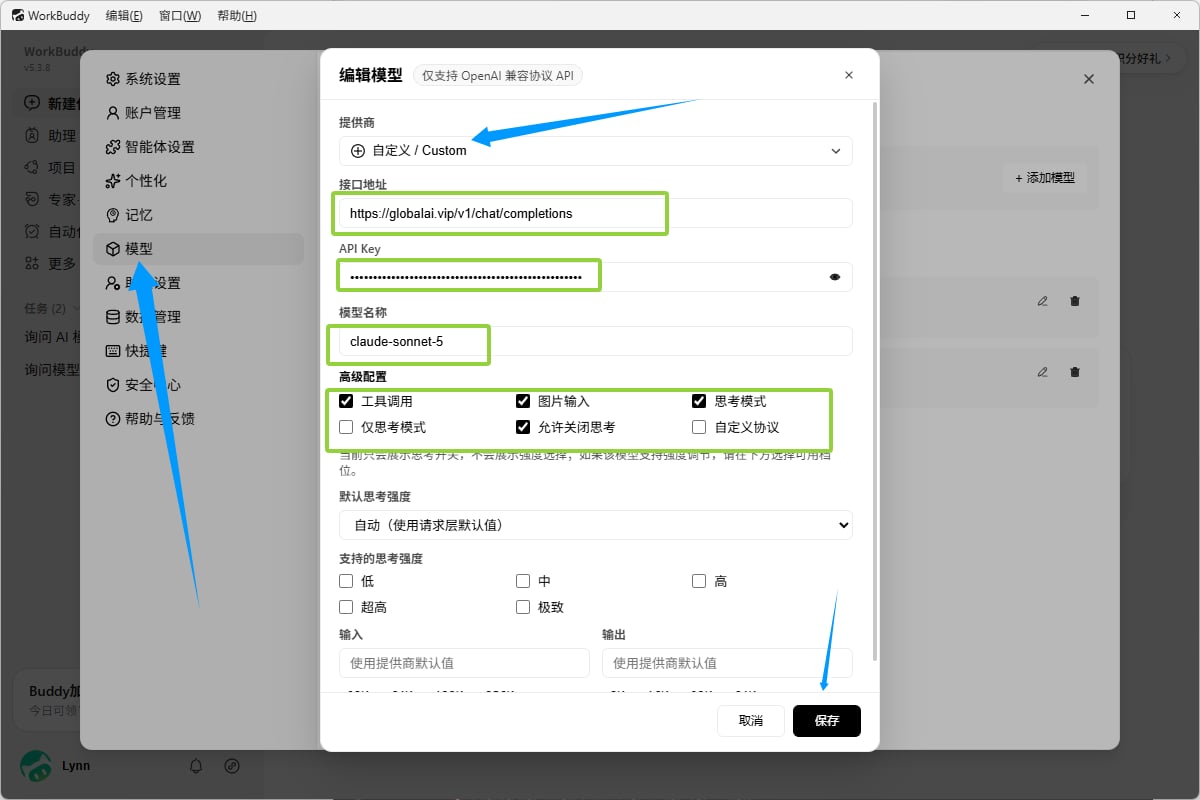
 Find the **Models** tab on the left and fill in:
* **Provider**: choose **Custom**
* **Endpoint**: `https://globalai.vip/v1/chat/completions`
* **API Key**: paste [your `sk-` key](https://globalai.vip/keys)
* **Model name**: copy the target model ID from the [Pricing page](https://globalai.vip/pricing) and paste it
* **Advanced settings**: we recommend checking **Tool calls**, **Image input**, and **Thinking mode** at minimum
Leave other options at their defaults, click **Save**, then close the settings dialog to return to the main screen.
Find the **Models** tab on the left and fill in:
* **Provider**: choose **Custom**
* **Endpoint**: `https://globalai.vip/v1/chat/completions`
* **API Key**: paste [your `sk-` key](https://globalai.vip/keys)
* **Model name**: copy the target model ID from the [Pricing page](https://globalai.vip/pricing) and paste it
* **Advanced settings**: we recommend checking **Tool calls**, **Image input**, and **Thinking mode** at minimum
Leave other options at their defaults, click **Save**, then close the settings dialog to return to the main screen.
 Pick the model you just added from the selector below the input, then send a test message.
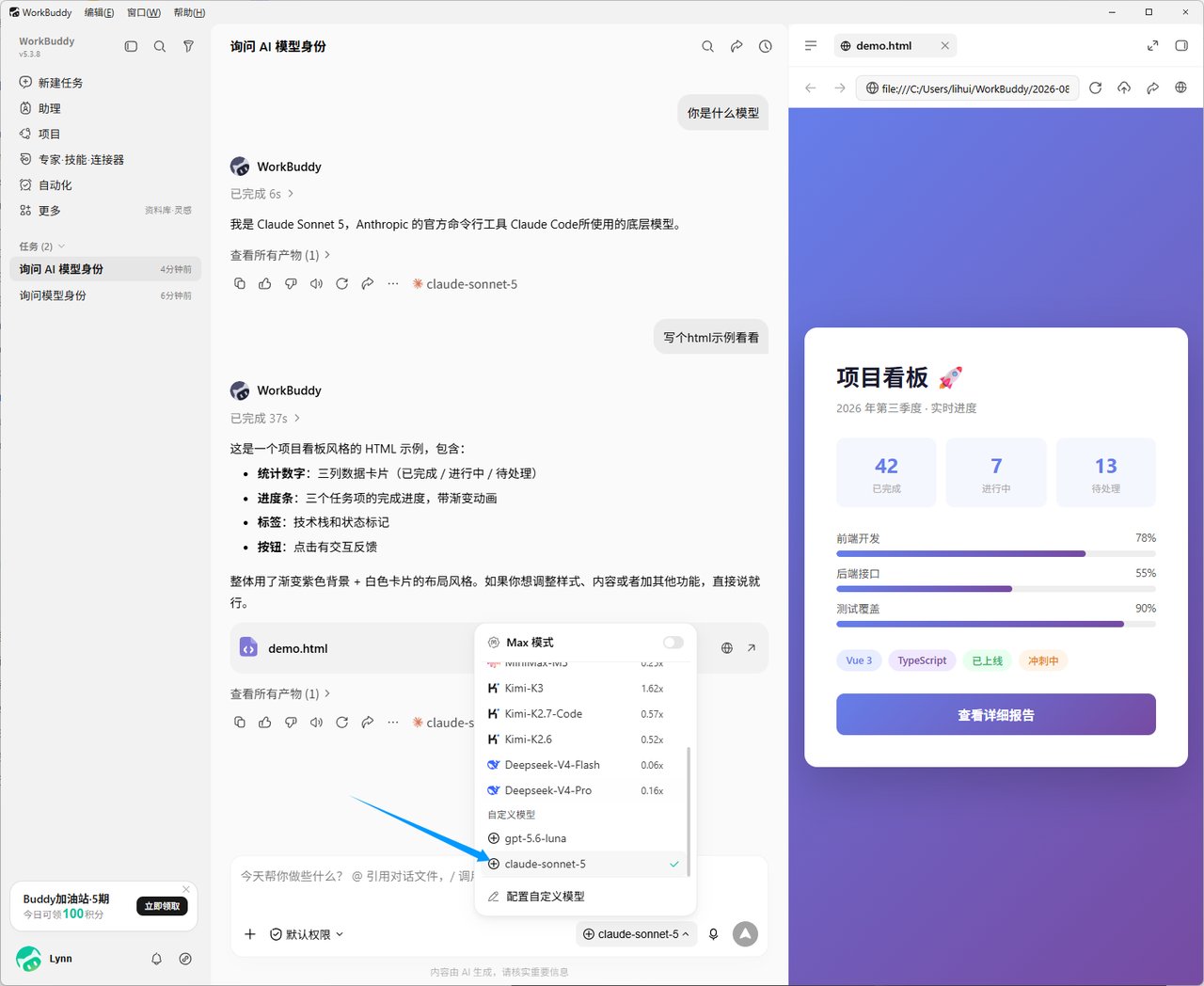 A normal reply means the integration works. You can also check [Usage logs](https://globalai.vip/usage-logs/common) to confirm the call was recorded.
## Troubleshooting
Confirm you are using a `sk-` key from Global AI and that it has not expired. Edit or regenerate at [globalai.vip/keys](https://globalai.vip/keys).
Model IDs change over time. Use the current IDs shown on [globalai.vip/pricing](https://globalai.vip/pricing) and paste without extra whitespace.
Not every model fully supports tool calls, image input, and thinking mode. If you see errors, uncheck the relevant option in settings or switch to a model that supports it.
## References
* [WorkBuddy website](https://www.codebuddy.cn/)
* [Global AI pricing](https://globalai.vip/pricing)
## Related topics
- [Global AI Client Integrations: Parameters and Selection](/en/clients/overview.md)
- [ChatWise Setup: Unified Multi-Provider Access via Global AI](/en/clients/chatwise.md)
- [Add Global AI to Dify as a Model Provider](/en/clients/dify.md)
- [ChatGPT(Codex) with Global AI: CC Switch or Manual Setup](/en/clients/codex.md)
- [ChatBox with Global AI: Desktop and Mobile Setup](/en/clients/chatbox.md)
A normal reply means the integration works. You can also check [Usage logs](https://globalai.vip/usage-logs/common) to confirm the call was recorded.
## Troubleshooting
Confirm you are using a `sk-` key from Global AI and that it has not expired. Edit or regenerate at [globalai.vip/keys](https://globalai.vip/keys).
Model IDs change over time. Use the current IDs shown on [globalai.vip/pricing](https://globalai.vip/pricing) and paste without extra whitespace.
Not every model fully supports tool calls, image input, and thinking mode. If you see errors, uncheck the relevant option in settings or switch to a model that supports it.
## References
* [WorkBuddy website](https://www.codebuddy.cn/)
* [Global AI pricing](https://globalai.vip/pricing)
## Related topics
- [Global AI Client Integrations: Parameters and Selection](/en/clients/overview.md)
- [ChatWise Setup: Unified Multi-Provider Access via Global AI](/en/clients/chatwise.md)
- [Add Global AI to Dify as a Model Provider](/en/clients/dify.md)
- [ChatGPT(Codex) with Global AI: CC Switch or Manual Setup](/en/clients/codex.md)
- [ChatBox with Global AI: Desktop and Mobile Setup](/en/clients/chatbox.md)